This release brings an AI assistant to Phonemos, lets you edit files such as Word and Excel documents directly from Phonemos, and redesigns tasks. It also makes pages and the navigation tree load faster.
Version 202610.0.2
New Features
AI Assistant
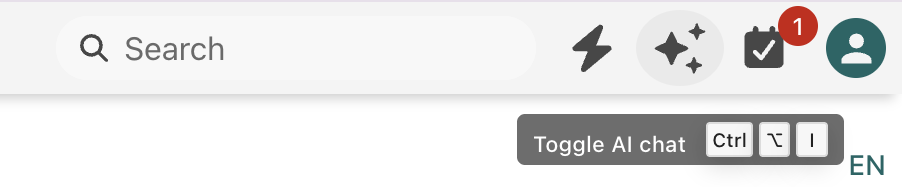
Phonemos now has a built-in AI chat. You can ask it questions about your content, have it search, summarise or rewrite pages, and let it help with everyday work in Phonemos. The assistant knows which page you are looking at and who you are, so you don't have to explain the basics.
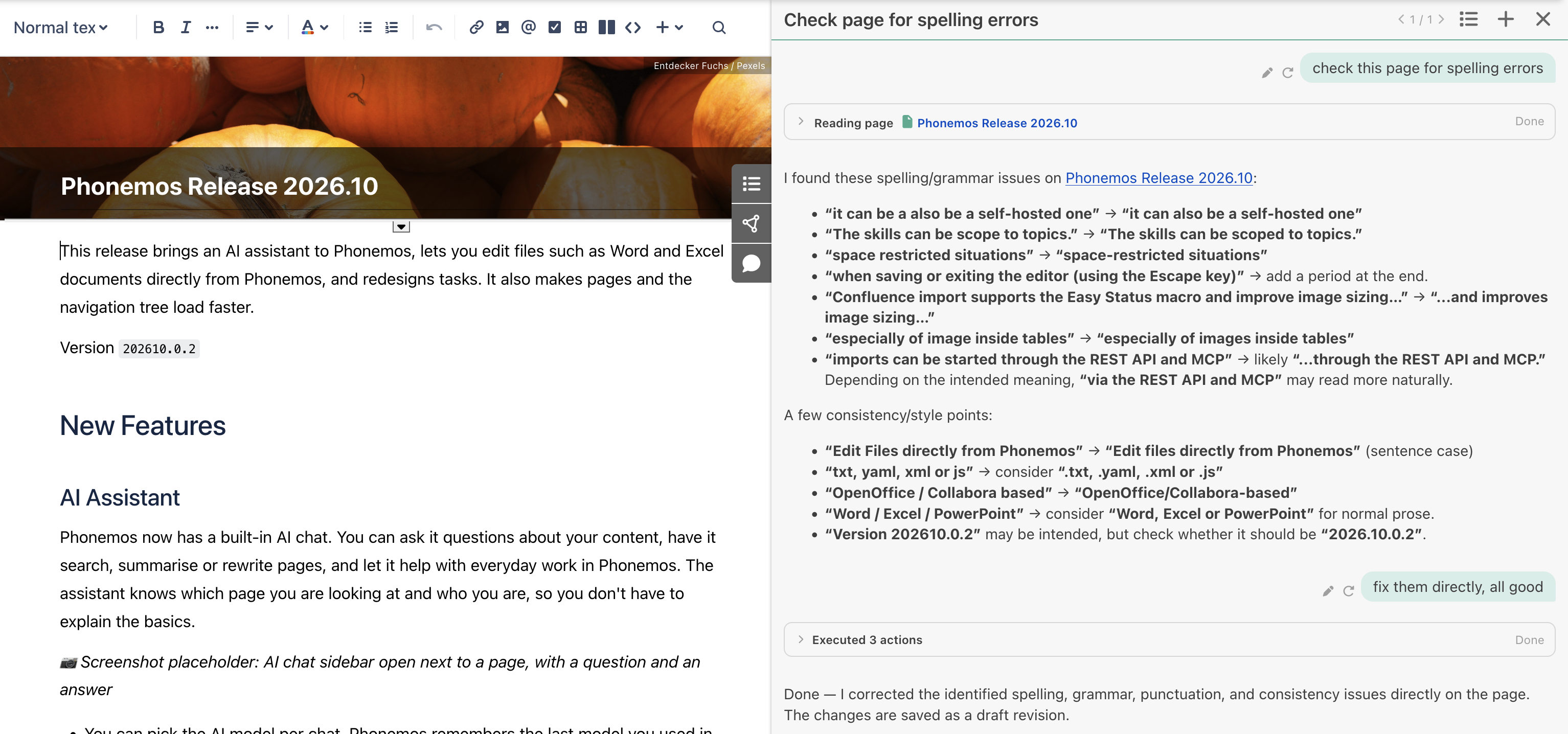
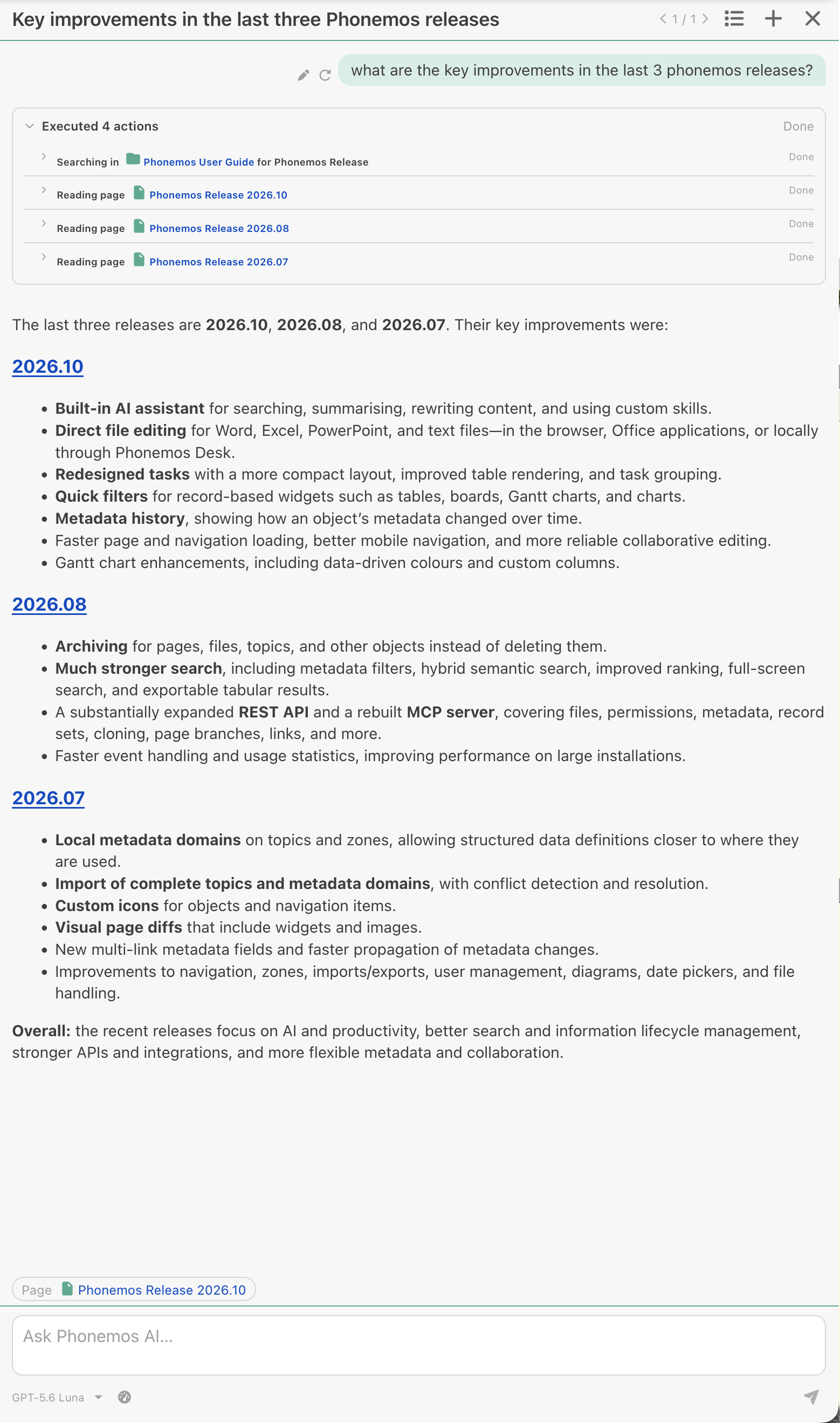
You can pick the AI model per chat. Phonemos remembers the last model you used in each chat.
The assistant can also use the web (in addition to Phonemos content) to look things up, if your administrator has enabled this.
Your administrator can set usage limits and can show you what your chats cost.
The AI-agent is an addition, not a replacement to the existing MCP server. It can interact with Phonemos in the same way as you can interact with it using e.g. Claude Desktop with the Phonemos MCP server configured. Both are useful, the integrated agent allows for easy and direct interaction because it knows where you are in Phonemos and is directly in the sidebar. The external agent is usually more powerful because it can also access other systems (mail, files, code and so on). So both have their use case.
The AI assistant is only available if your administrator has switched it on and connected an AI provider. Privacy and data security are our core values, so your company has to chose and provide the LLM that is suitable for your use cases; it can also be a self-hosted one. We have successfully tested Phonemos with Infomaniak (Kimi, Qwen, Apertus), Mistral, Claude, ChatGPT, Gemini and Grok.
Your own skills
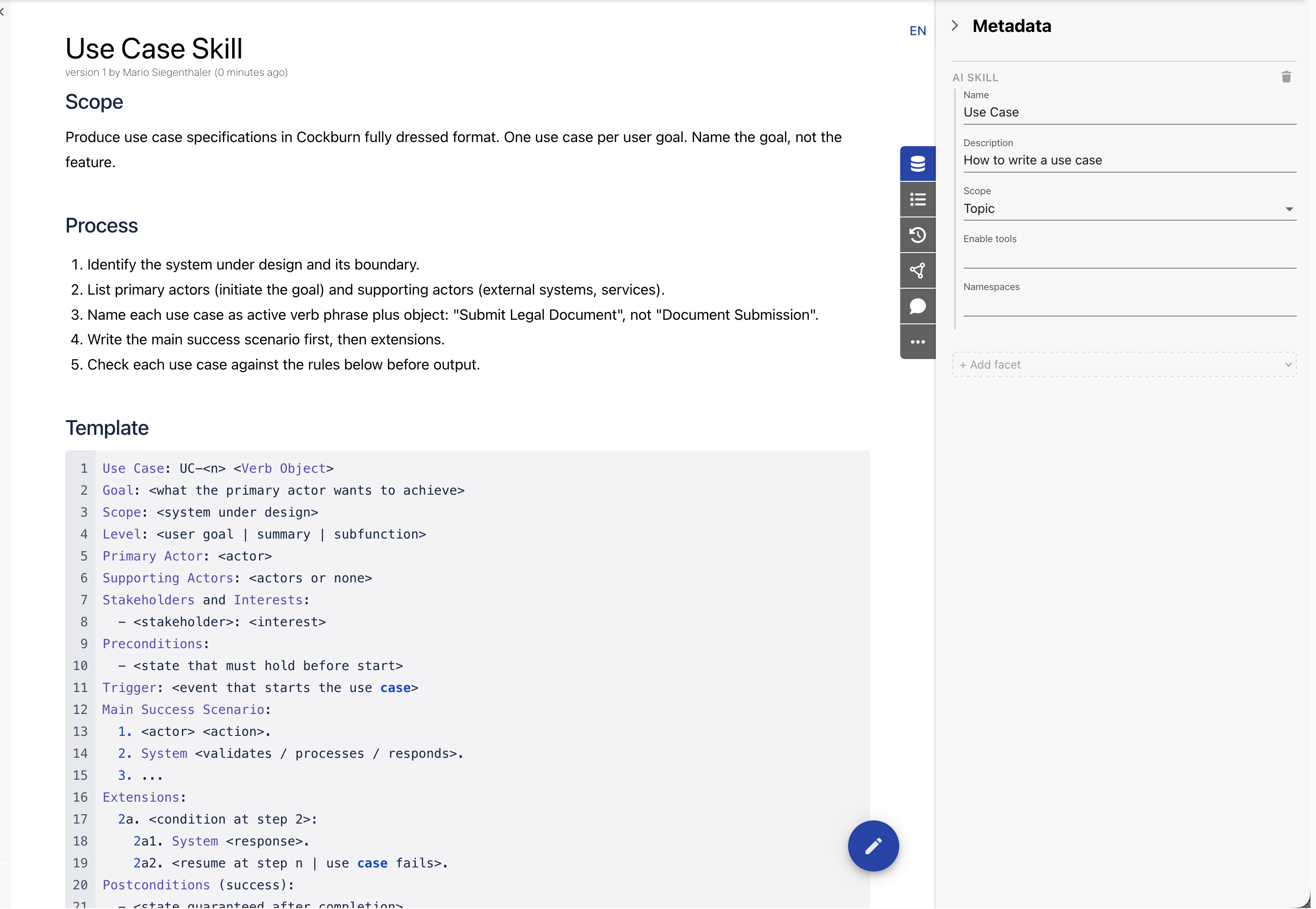
Skills are short instructions that tell the assistant how to do a recurring task, for example how your team writes meeting minutes. You can write skills yourself as normal pages that you tag with the AI-Skill facet and the assistant will find and use them. The skills can be scoped to topics, so you can create project specific skills.
Skills are automatically discovered by the agent, but you can also explicitly include a skill by typing / in the agent text field and selecting the desired skill from the list.
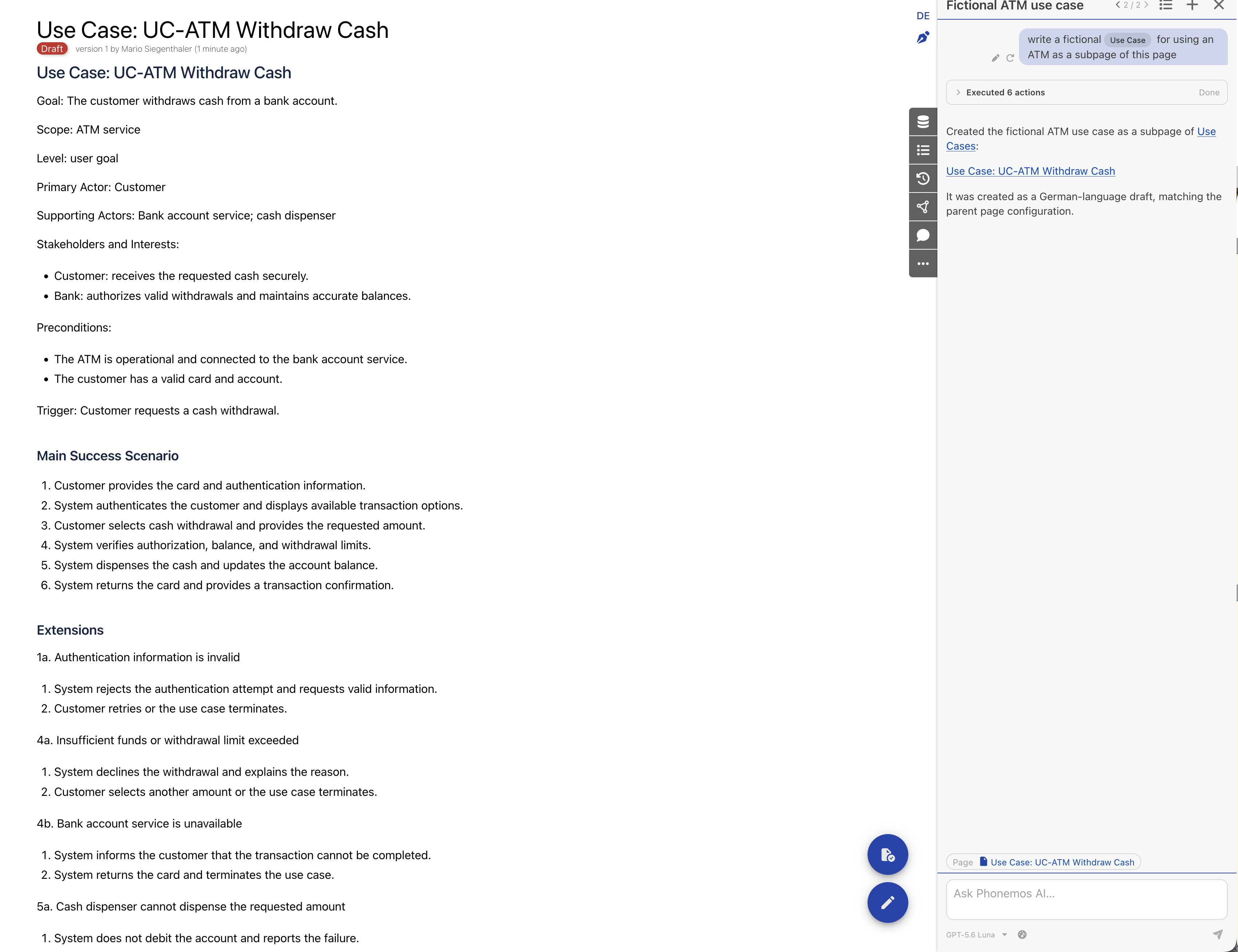
Edit files directly from Phonemos
Files in file stacks no longer need to be downloaded, changed and uploaded again. Depending on the file type and your setup there are three ways to edit them:
In the browser: Word, Excel and PowerPoint files open in an online office editor (OpenOffice/Collabora-based). Text-based files (such as .txt, .yaml, .xml or .js) open in a built-in text editor.
In your Office applications: use "Open in Word / Excel / PowerPoint" and your changes are saved directly back to Phonemos.
Locally in any application with Phonemos Desk: the small companion app opens the file in the program you normally use and saves your changes back to Phonemos. It is available for macOS, Windows and Linux for local installation on your laptop or VDI.
While someone is editing a file, it is locked for others so that nobody overwrites another person's changes.
These features are off by default. Your administrator decides which of them are available.
Online Document Editing
For Office document formats (Word, PowerPoint, Excel) you can directly edit them in the browser using the provided Collabora instance.
Microsoft Office Integration
If you have Microsoft Office installed then you can directly edit the Office document formats in your local Office application (Word, PowerPoint, Excel).
Phonemos Desk
You need to download and install the application first. Then you can activate it, that means to connect your Phonemos instance to your locally running application. After that you can edit it on your local machine with the default editor for the file type. When you save the file it’ll be automatically uploaded to Phonemos.
New Task Design
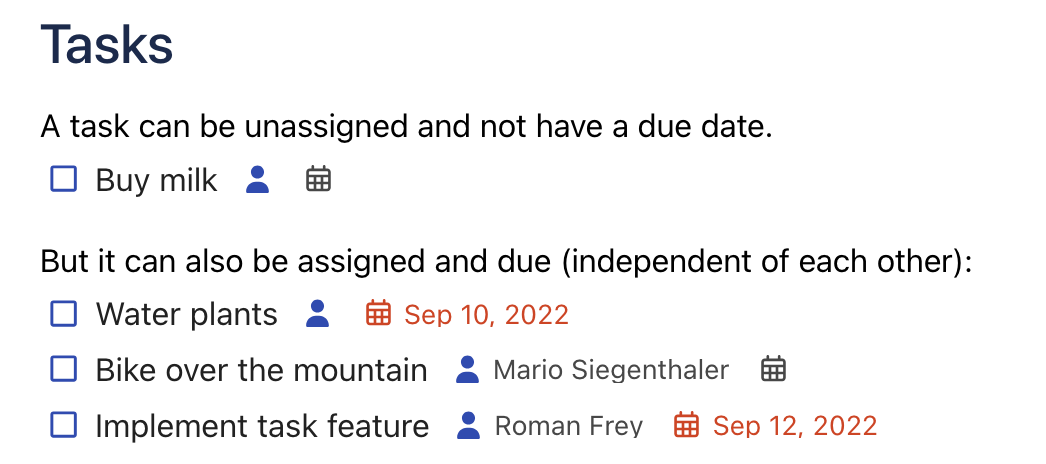
Tasks are more compact and lighter now. A task is a single line with small icon pickers for its details, and rendering in space-restricted situations (like inside a table) is improved.
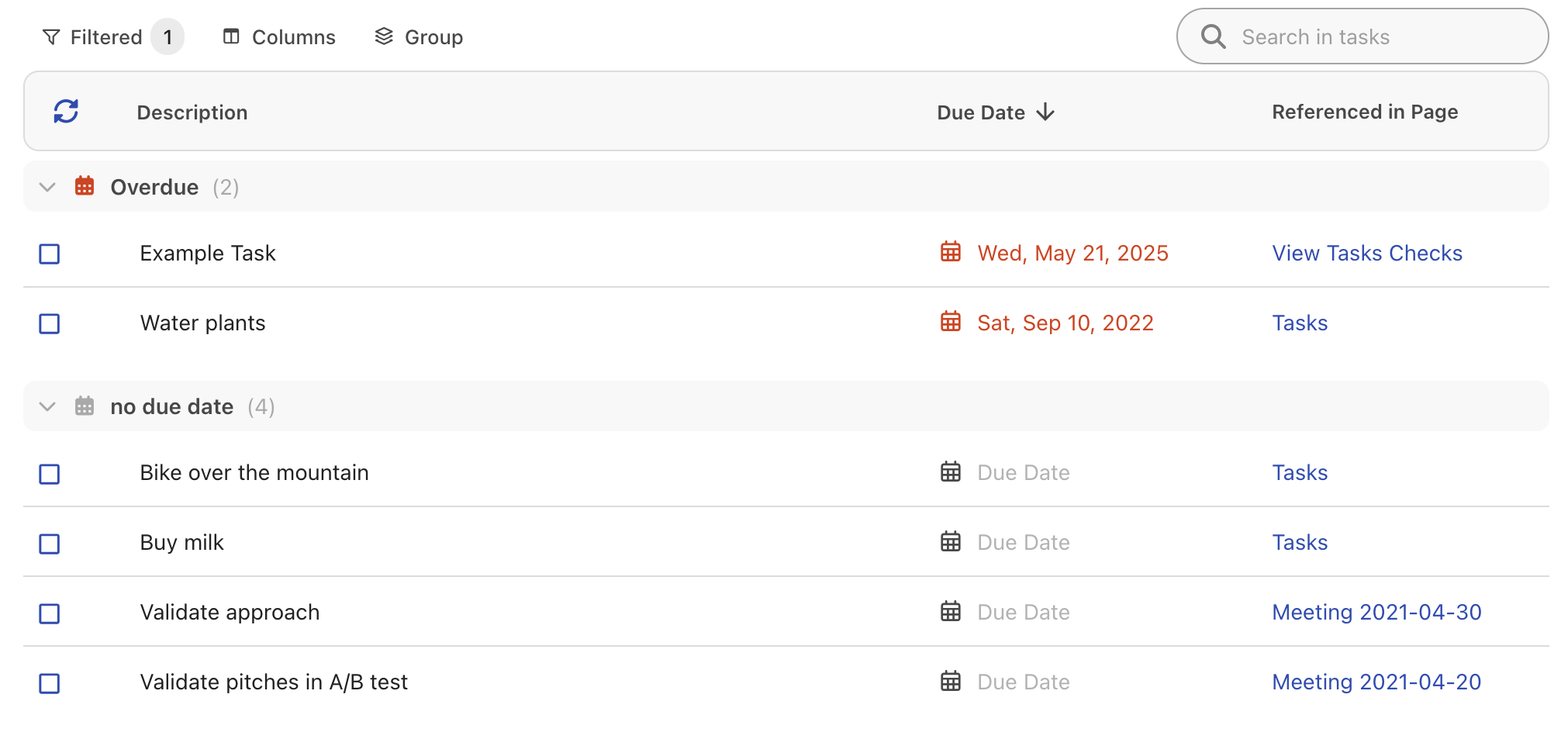
The task table matches the new task design and can now group tasks.
Quick Filters in Record Lists
Authors can define quick filters on record-based widgets (Gantt, data table, boards and charts).
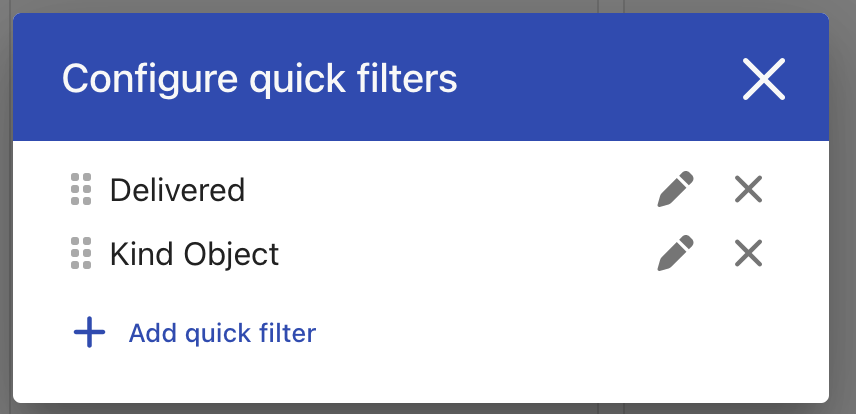
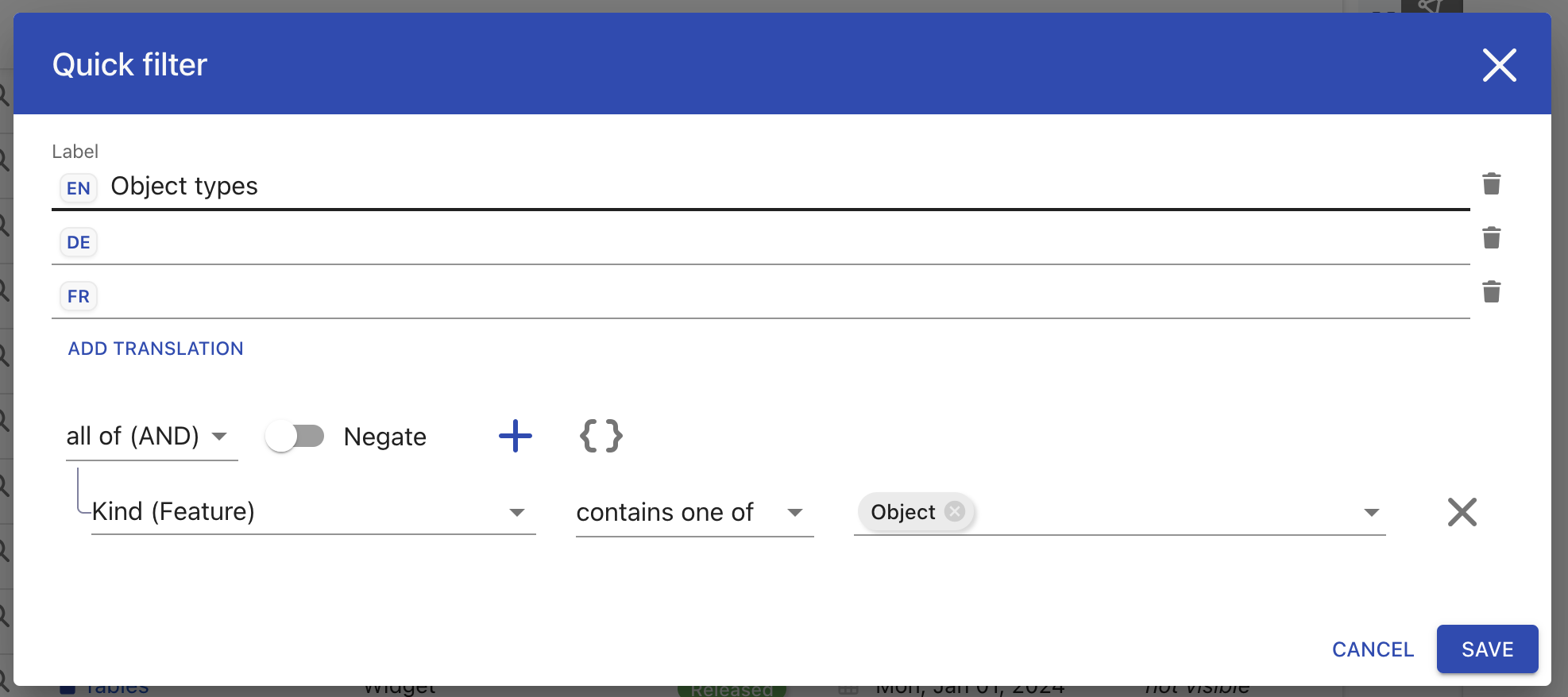
Readers use them to narrow down a list with one click, without having to edit the widget.
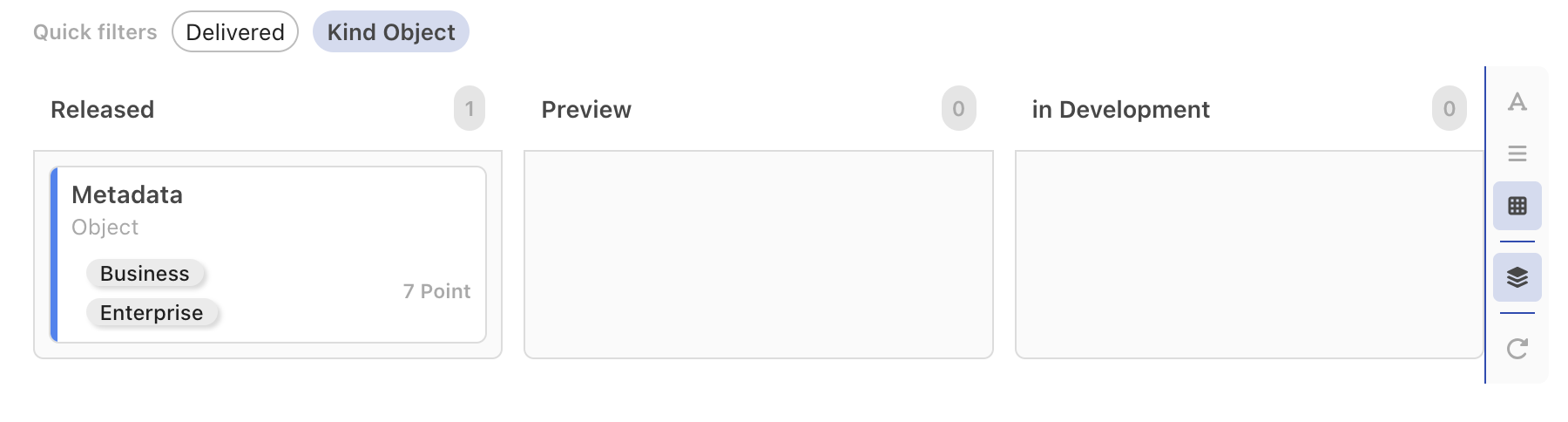
Metadata History
You can now see how the metadata of an object changed over time. Metadata and its history are available for all object types.
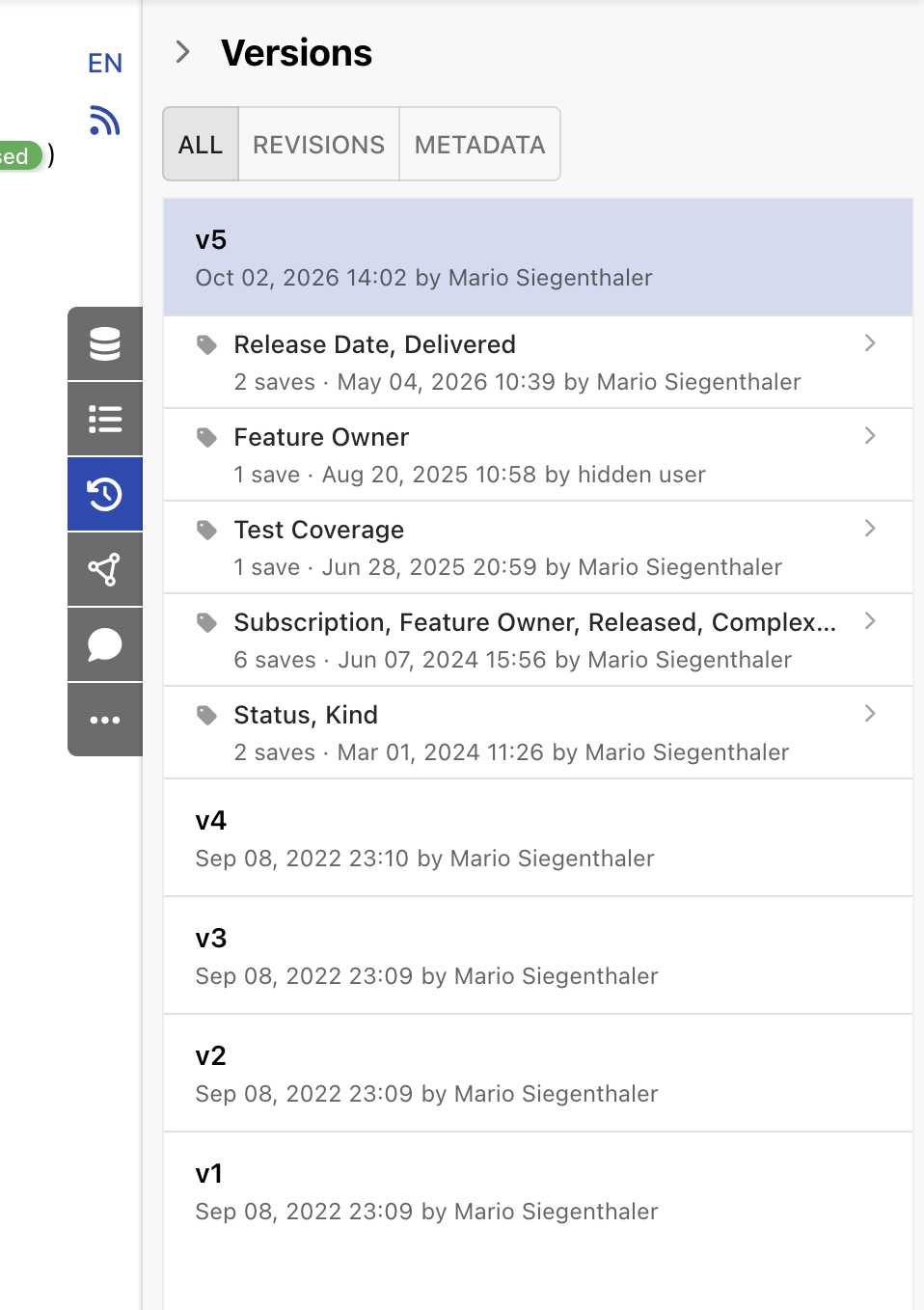
Gantt Chart
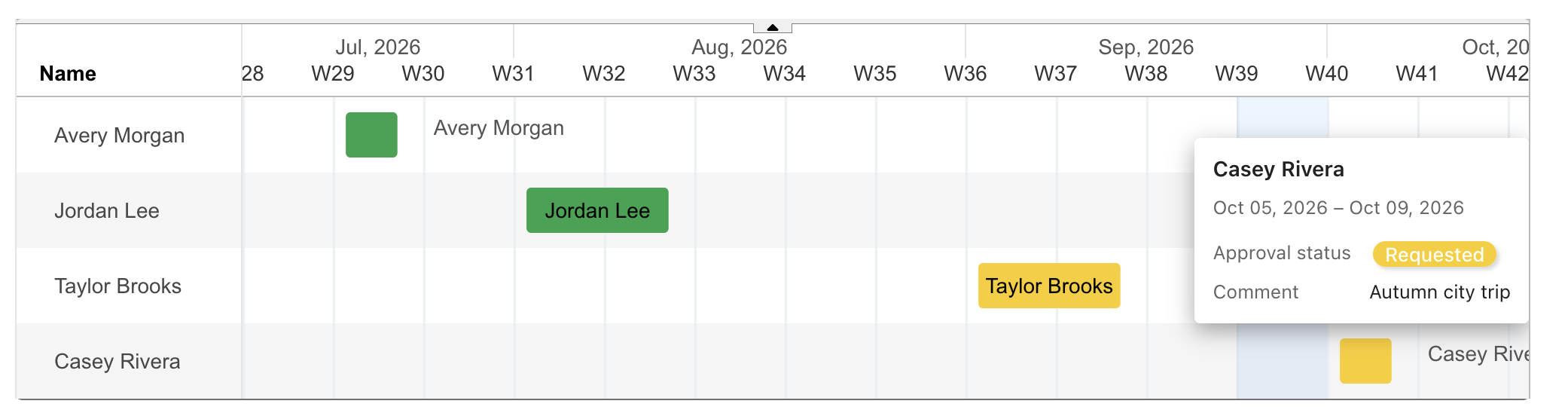
Bars can get their colors from your data.
You can add your own columns next to the chart.
User names are now shown correctly inside the chart.
Improvements
Speed
Pages open faster, especially pages with many widgets (status and tasks especially).
The navigation tree loads faster and reloads less often.
Less flickering in the interface when something changes.
Navigation
The menu of the navigation tree is smaller and consistent for all object types. Right-click opens it.
The top bar handles small phone screens better, with a "more" menu for the export, a nicer search box and menus that are limited to two lines.
Archived objects no longer show up in cards, the children tree and recent activity. You can archive objects with drag and drop.
Collaboration
Editing together is more reliable: pages load from the correct state, and discarding your edits or replacing the content no longer disturbs the other people editing.
A notice shows when your latest changes are still being transmitted to the server when saving or exiting the editor (using the Escape key).
Import
Imports can be processed again if something went wrong, and you see the status and progress while an import is running.
Confluence import supports the Easy Status macro and improves image sizing in imports, especially for images inside tables.
Missing spaces before and after imported links and mentions are fixed.
For Administrators and Developers
The AI assistant, web search and the file editing features are switched on separately and are off by default. Contact your Phonemos service provider to enable them.
Outgoing network traffic is now blocked by default and only allowed for the components that need it. If you connect Phonemos to other systems, check that they are still reachable.
The REST API can now also create topics, and imports can be started through the REST API and MCP.
Smaller Fixes
Record forms are no longer deleted when you press backspace in a text field.
Charts are displayed again in edit mode.
draw.io and BPMN diagrams are included in Word exports.
Some content imported from Word documents could not be displayed.
The email address was marked as unverified after a user update via SCIM.
Edits on an empty document could not be discarded.
A draft could only be published after reloading the page.
Selecting a different object type cleared the text you had typed.
Boards scrolled per swimlane instead of as a whole.
Tasks did not save their title when you saved the page while editing the task.
The browser did not reload by itself after Phonemos was updated.
The privacy page on public sites could not be displayed in some cases.
Phonemos could hang when opening a topic.