Exporting a Topic in Phonemos
Open the topic you want to export
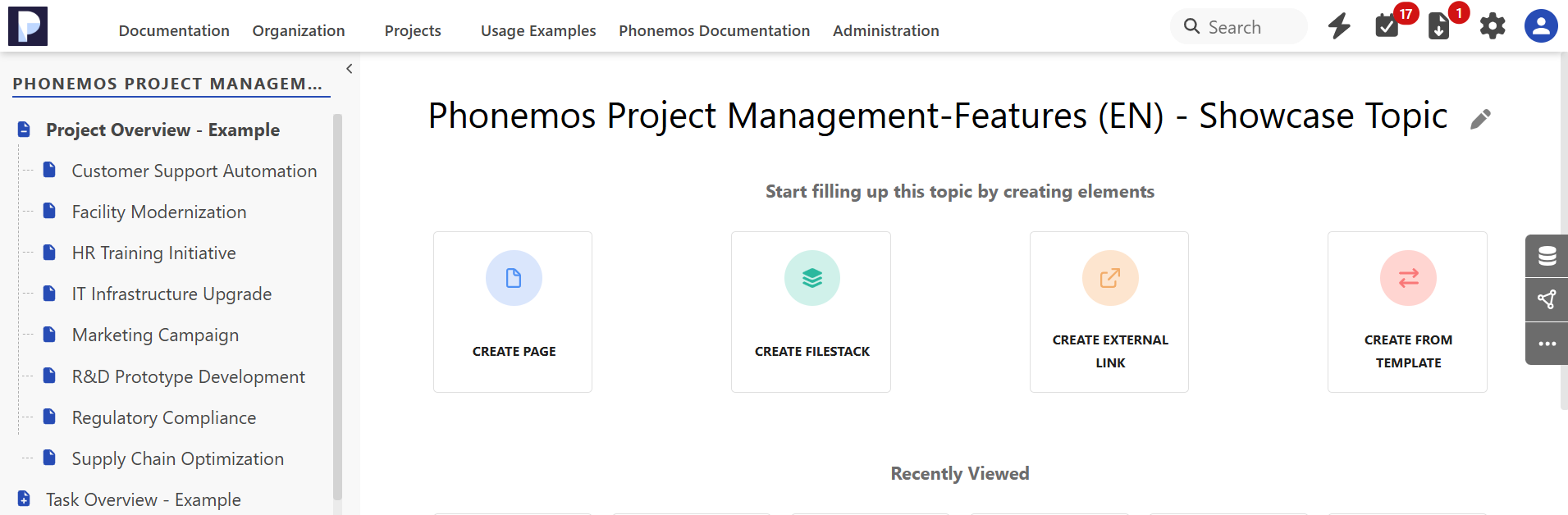
Go to the topic you want to export, such as Phonemos project project management features.
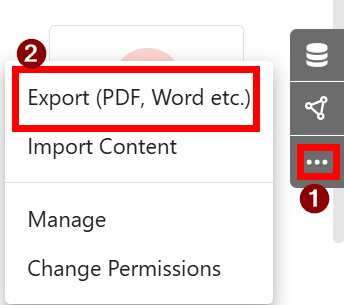
Click on the 3 dots in the side panel and then select “Export (PDF, Word etc.)
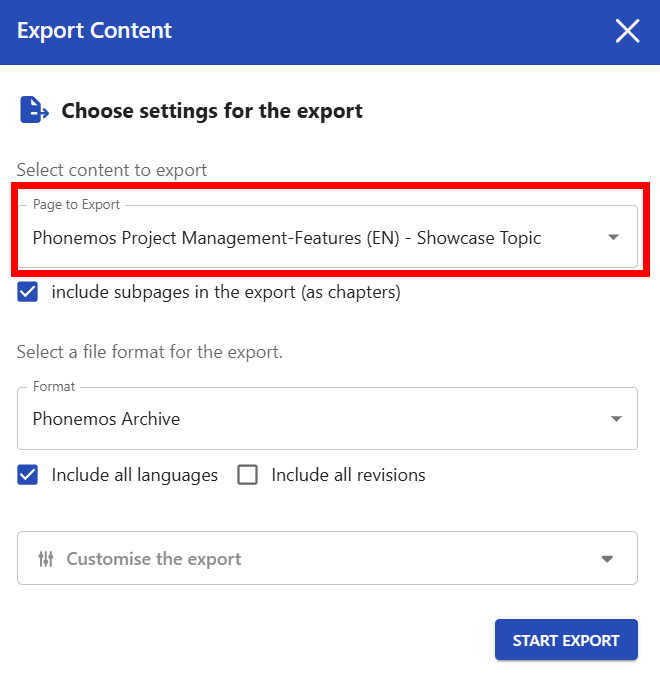
Choose the Topic you want to export:
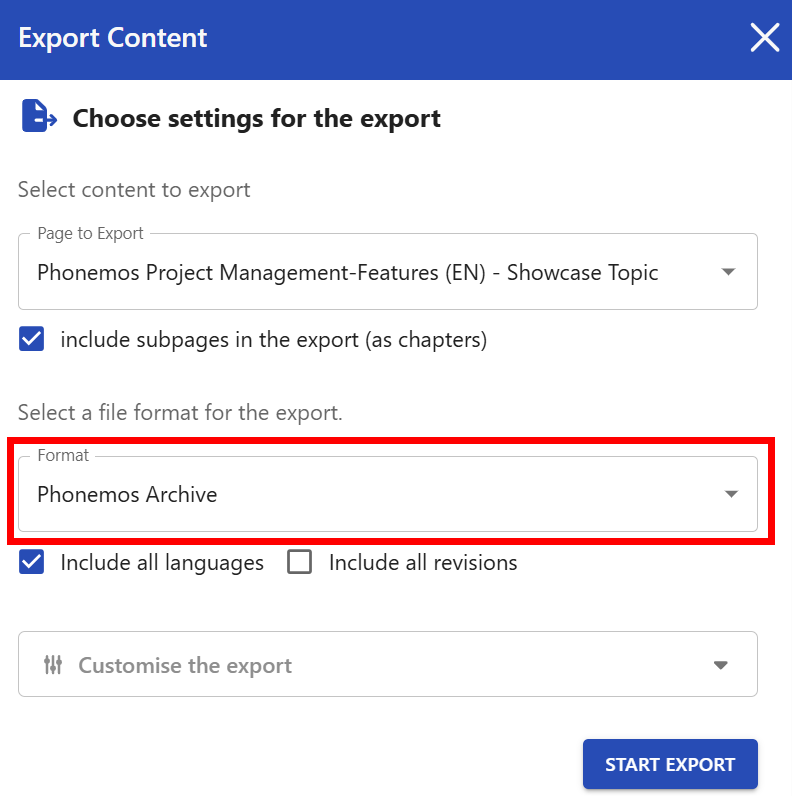
Select “Phonemos Archive” as your Format and click “Start Export”
Importing a Topic in Phonemos
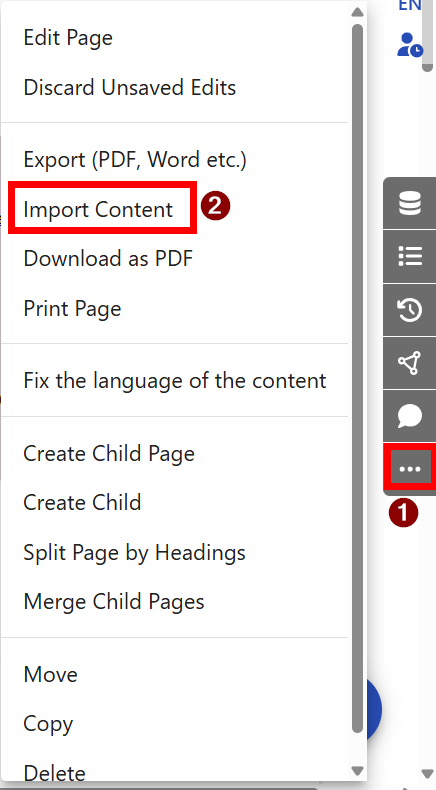
Go into any page in Phonemos and open the 3 dots in the side panel. Afterwards please click on “Import Content”
On the next screen, please select your file:
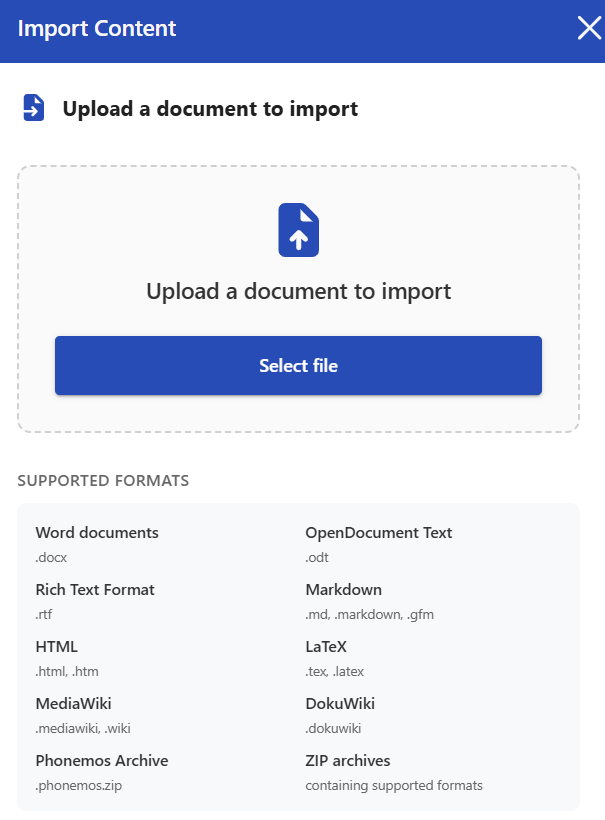
and click on “Start Import”