This release adds a calendar view and nine new chart types for your data, lets you write record filters as text, and brings a new theming system with light and dark mode. Search now also finds pages by the content of their attachments. For administrators there is a Jira Cloud connector, optional virus scanning of uploaded files and support for nested groups. It also contains a number of security fixes.
Version 202611.0.19
New Features
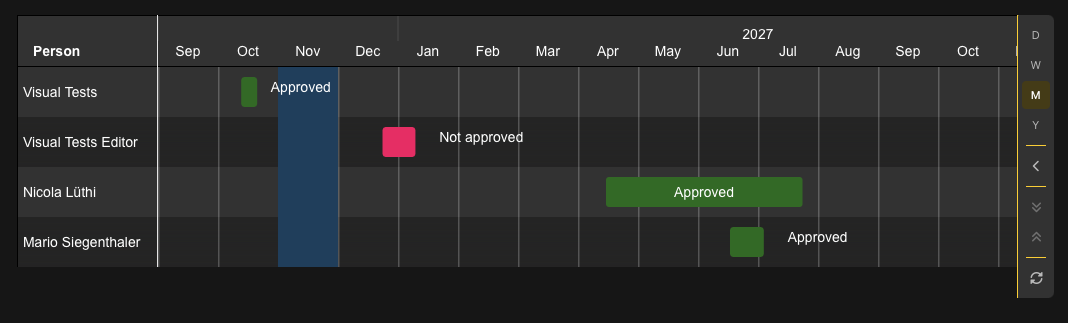
Calendar View
The new calendar widget shows records with a date in a month, week or year view. Use it for absences, events, deadlines or anything else that has a date or a time span.
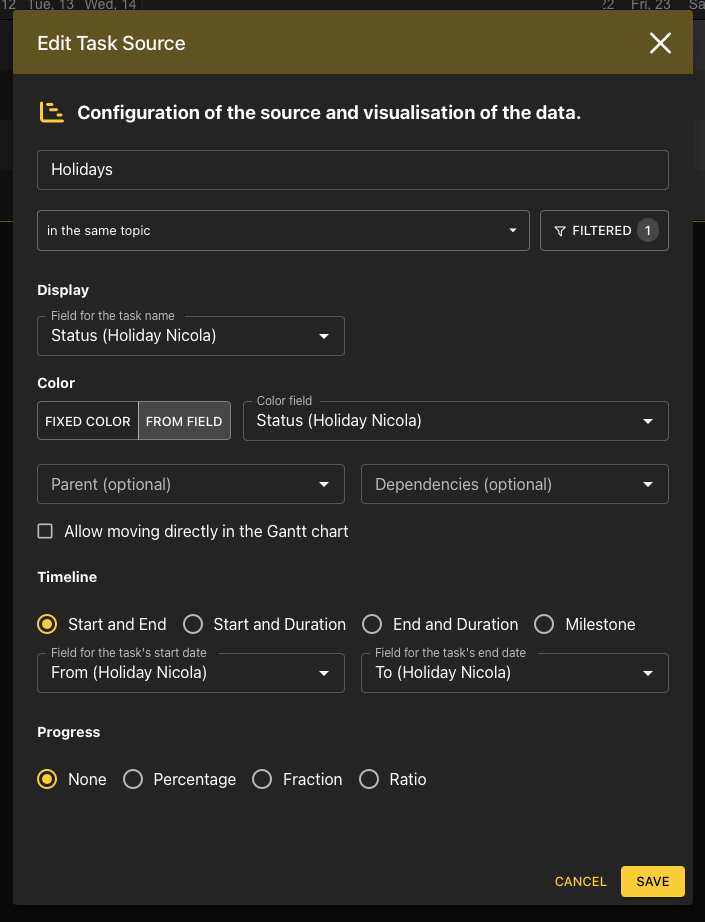
Combine several sources in one calendar. Each source has its own filter and color and uses either a single date or a start and end date (or a duration).
Optionally show the time of day, and choose extra fields that are shown when you hover over an entry.
Click an entry to open the page or object it belongs to.
Switch between month, week and year. The calendar remembers the selected view, and quick filters work the same as in the other record widgets.
Calendars are included in Word and PDF exports.
Additional Chart Types
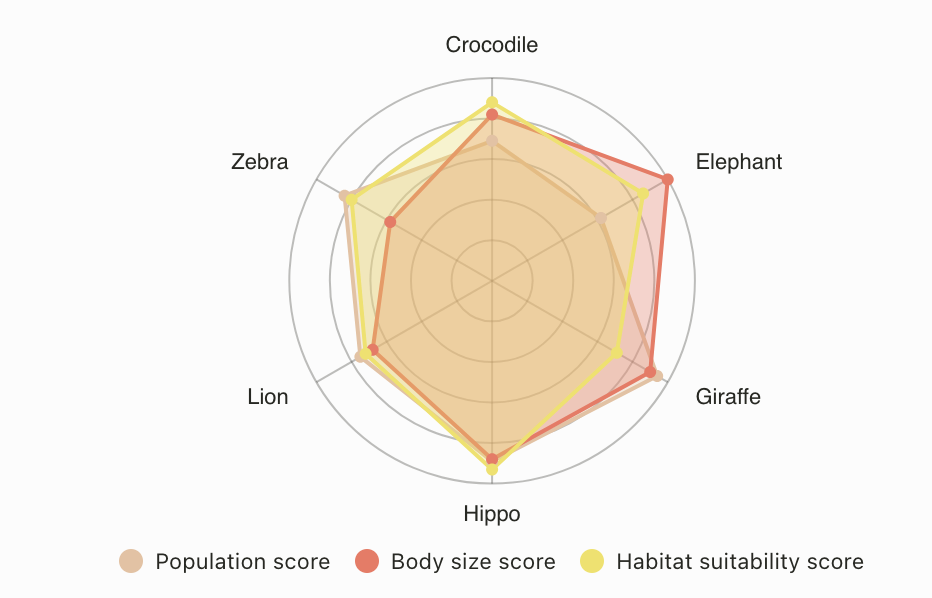
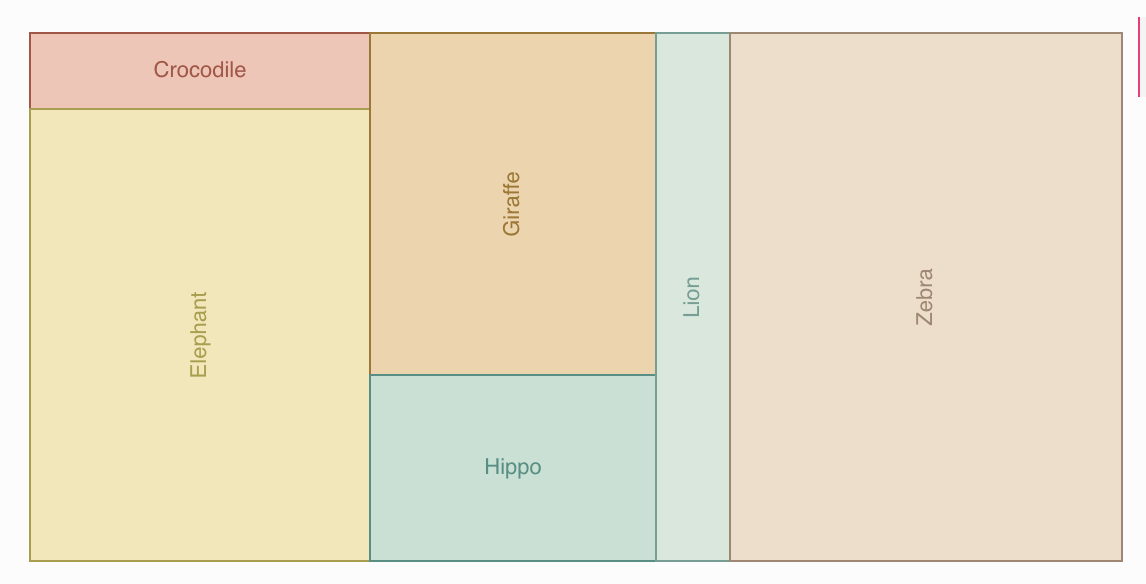
Data charts have nine new chart types:
Treemap and Funnel: compare the share of categories.
Calendar: one cell per day, for example to show activity over a year.
Radar: compare several measures across categories.
Histogram: shows how the values of a number or duration field are distributed.
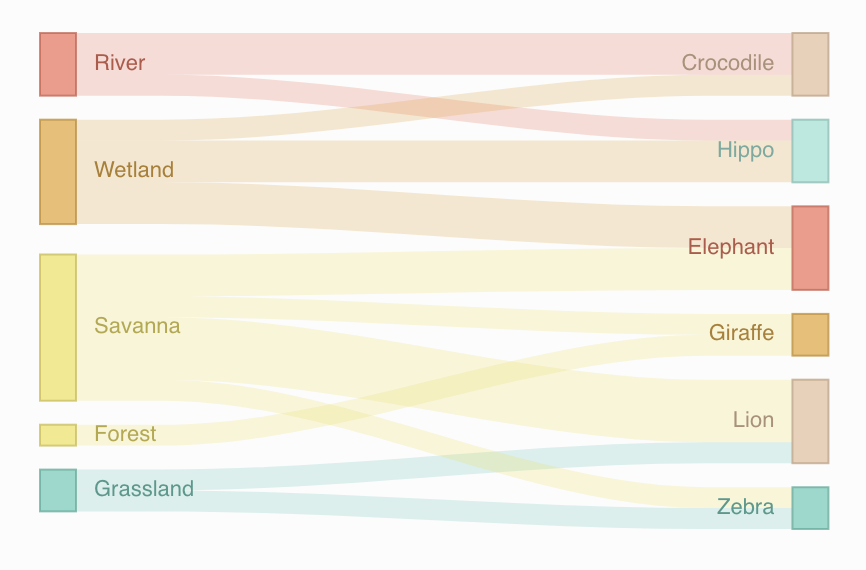
Heatmap and Sankey: show the relationship between two categories; Sankey shows them as flows.
Box plot: shows the spread of values per category (minimum, quartiles and maximum).
Gauge: shows a single number (count, sum or percentage) against a minimum, maximum and target.
Dark Mode
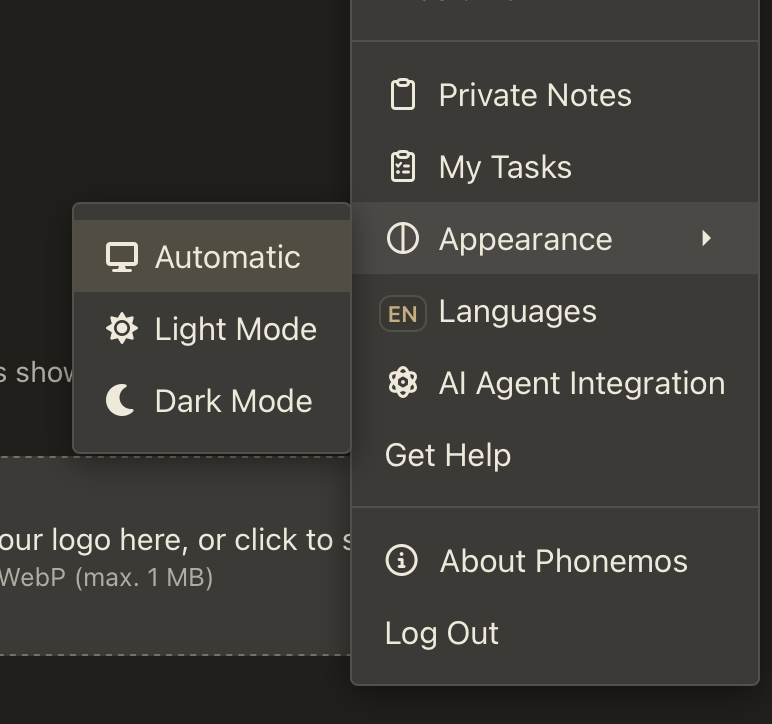
Phonemos now has a light and a dark mode. Choose Light, Dark or Automatic (follows your device setting) under Appearance in your profile menu, or press Alt/Option + Shift + D to switch.
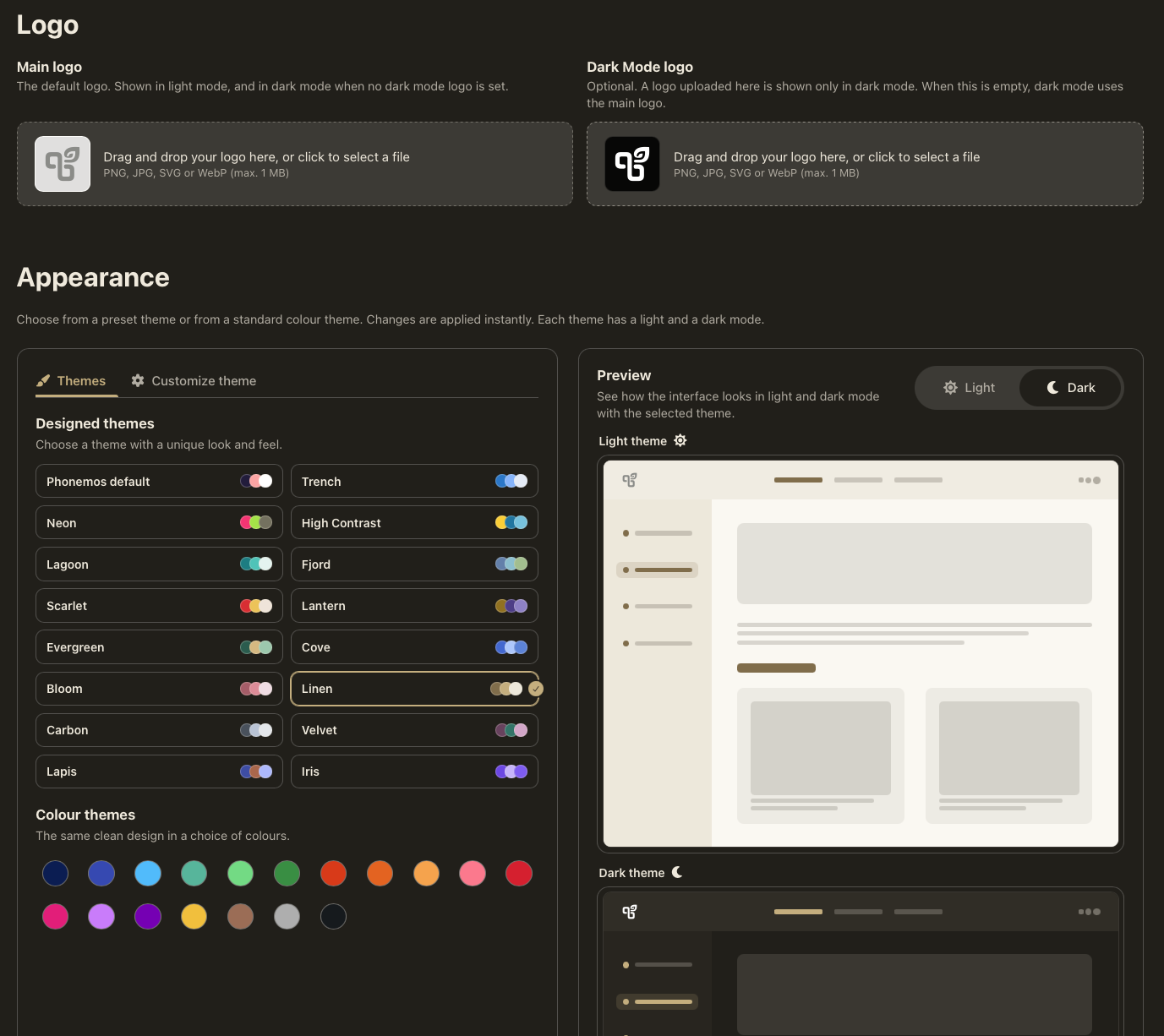
Administrators can choose from a set of preset themes, including a high-contrast theme. Each theme has a light and a dark variant. Individual colors can be fine-tuned separately for light and dark mode, and a separate logo can be uploaded for dark mode. The default Phonemos theme has a more neutral look.
Write Record Filters as Text
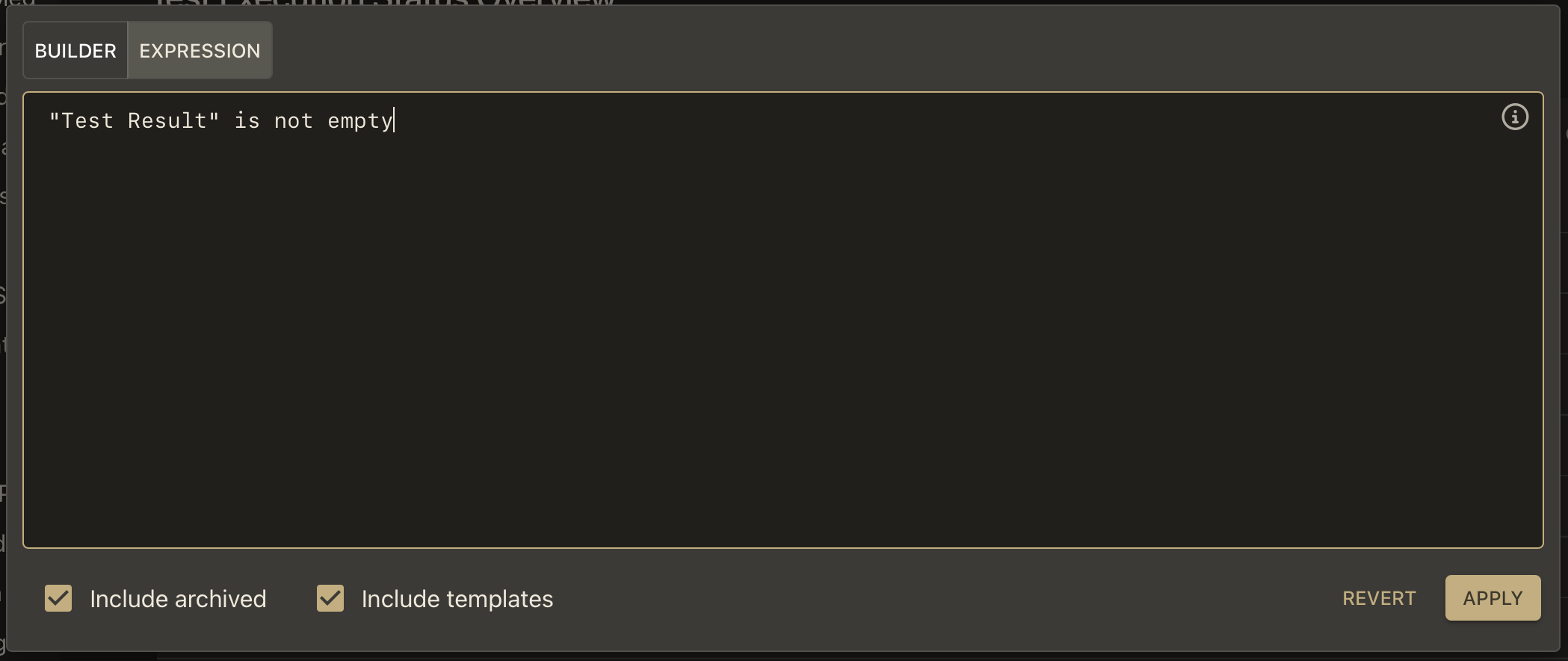
Record filters in data tables, charts, boards, Gantt charts and calendars can now also be written as text (Phonemos Query Language), next to the existing visual filter builder. For example:
State in (Open, Review) AND Assignee is currentUser() AND Due within next 14d
Field, option, user and page names are suggested while you type.
Combine conditions with AND, OR and NOT, and group them with parentheses.
Mistakes are underlined and explained below the text field.
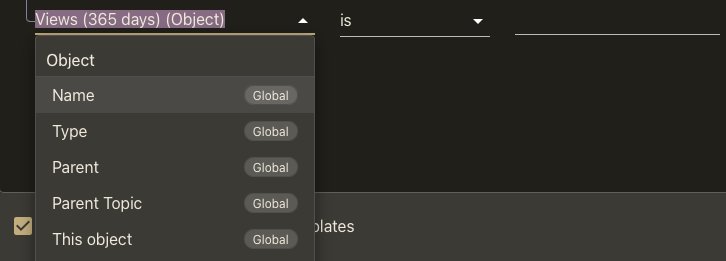
When you pick fields for a filter or a column, Phonemos now first suggests the fields that belong to the current topic or record set. Each field shows whether it is global or which topic it comes from. Use Show them (or Shift+Enter) to see all fields.
Search Finds Pages by Their Attachments
Search now includes the text of files attached to a page (for example PDF or Office documents). A search that combines words from the page and from its attachments finds the page. Attachments are no longer shown as separate search results; files in file stacks still are.
Collapsible Included Content
The include content widget has two new settings: Collapsed while editing shows only the title of the included page in the editor, and Collapsed while viewing shows an expandable section that loads the included page when a reader opens it. Both are off by default, so existing pages look the same.
Boards
Cards on new boards can be moved by default.
If a column or swimlane combines several values, you can now move a card to a different value within the same column.
Categories without a natural order are now sorted alphabetically.
Metadata Shared Across Sites
If your organisation runs several Phonemos sites, a site-wide metadata domain can now be marked as Visible to other sites. The other sites can then use its fields for their own content and filters, but they cannot change the domain.
Jira Cloud Connector
In addition to Jira Data Center, Phonemos can now synchronise issues from a Jira Cloud project, so you can use them in data tables, boards, charts and calendars. The connector has to be set up by your Phonemos service provider.
Improvements
Data Widgets and Charts
Clearer tooltips for calendar, funnel, heatmap, radar, Sankey and treemap charts, and better point labels for line and scatter charts.
A clear message is shown when a data widget cannot load its data, instead of a misleading one.
Grouped categories hide values that don't belong to any group by default.
The task table is more compact in edit mode, and an issue with its settings has been fixed.
The full-screen search results show the parent topic and a wider match column.
Export
Data tables, Gantt charts, boards, charts and calendars are exported to Word and PDF as images that look the same as on the page. They only contain data that the exporting user is allowed to see.
Missing diagram images (Mermaid, PlantUML, BPMN, CMMN, draw.io and formulas) are created before the export, so they are no longer missing in the document.
Data widgets inside layouts are exported, and the new page widget no longer breaks the export of included pages.
Archive exports are more robust and only contain metadata and header/footer pages that the exporting user can see.
AI Assistant and MCP
The MCP server supports the MCP specification 2026-07-28 and works with Cursor again.
AI agents get a warning when page content refers to fields that don't exist, and updating records that contain older invalid values no longer fails.
For Administrators and Developers
Virus scanning: uploaded files are now scanned for viruses (ClamAV). A small shield icon shows the scan status, and infected files are quarantined. Files that have not been scanned yet can still be downloaded after a warning; opening them for local editing asks for confirmation.
Nested groups: a group can now include the members of its subgroups for permissions. Switch this on per group in User Management. Indirect members are listed with the subgroup they come from.
User and group visibility: only user administrators see all users and groups. All other roles, including managers, only see the users and groups allowed by the group visibility rules. An info icon in the permission dialogs explains why some users or groups may be missing.
Separate hosts: files, online document editing and Phonemos Desk are now served from their own host names, which isolates them better from the main application (CSP).
The YouTrack connector no longer uses the Hub API, which is deprecated since YouTrack 2026.1.
Security
Critical Node.js and Envoy have been updated to fix a vulnerability in Brotli decompression. (CVE-2026-111497). Only affected instances where MCP server is enabled. The fix was also backported to older versions.
Major The compromised eMudhra intermediate certificate authorities are blocked (CVE-2026-91403). The fix was also backported to older versions. No risk of data exfiltration or compromise in Phonemos.
Major Public sites: fixed a stored cross-site scripting (XSS) vulnerability in the server-side rendering. An editor on a published page could have added Javascript to it, that would have executed in the unauthenticated users browser.
Minor LaTeX formulas could read files from the conversion container (no sensitive data). This is no longer possible.
Minor Requests with a forged token could upload temporary files and read stock images (no sensitive data). This is no longer possible.
Minor PlantUML diagrams can only load content from allowed URLs.
Minor The security headers (CSP) of online document editing have been improved.
Minor The web server (nginx) no longer reveal their version.
Smaller Fixes
Users with the Access permission could not search in archived content.
Included content was not shown on public sites.
File previews were sometimes created again without need.