This release adds archiving, a much better search and a larger REST API.
Version 202608.0.15
New Features
Archiving of Objects and Topics
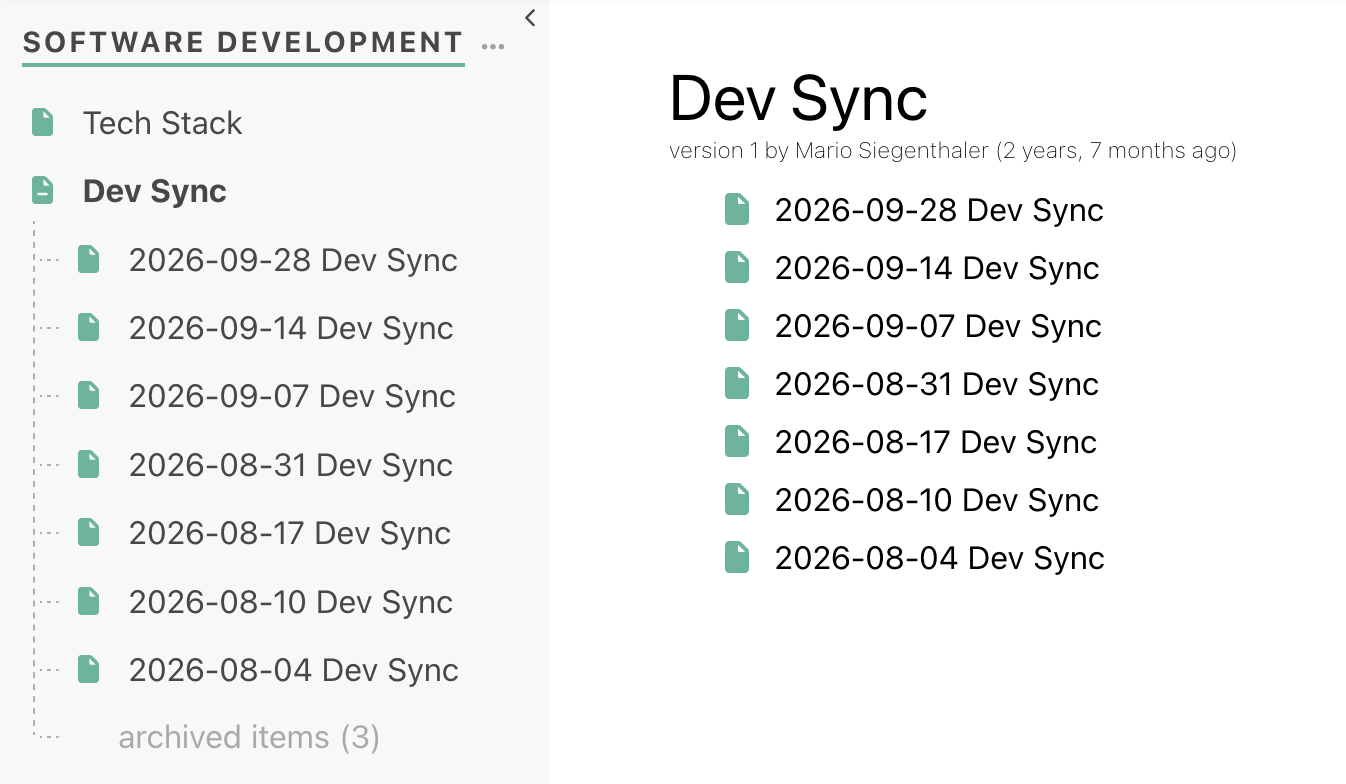
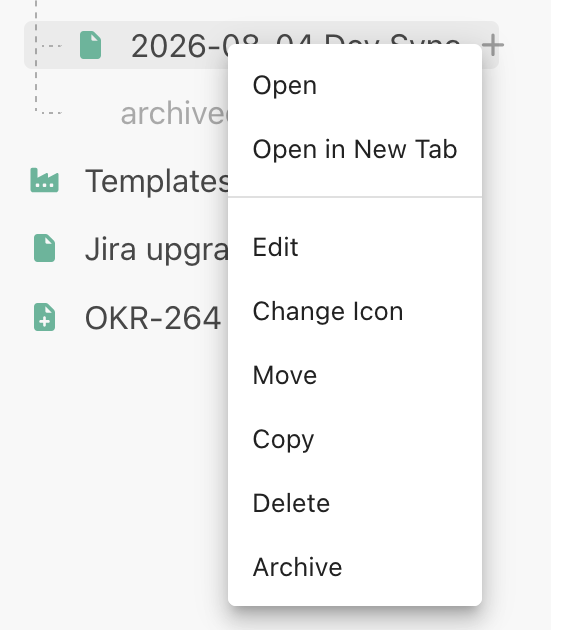
Pages, files and other objects can now be archived instead of deleted. Archived objects are hidden from normal views, but they are not deleted and are still accessible to users. They are collapsed by default in the navigation tree and are excluded from searches. In the search you can choose to include them via the search menu or by starting your search query with an exclamation mark. You can also archive whole topics. They are then shown separately in the top bar.
This will help you reduce clutter in your Phonemos by getting rid of the hundreds of old meeting notes, outdated documentation and other mostly irrelevant things. But in some cases that content might still be relevant, so you can easily access it again.
Better Search
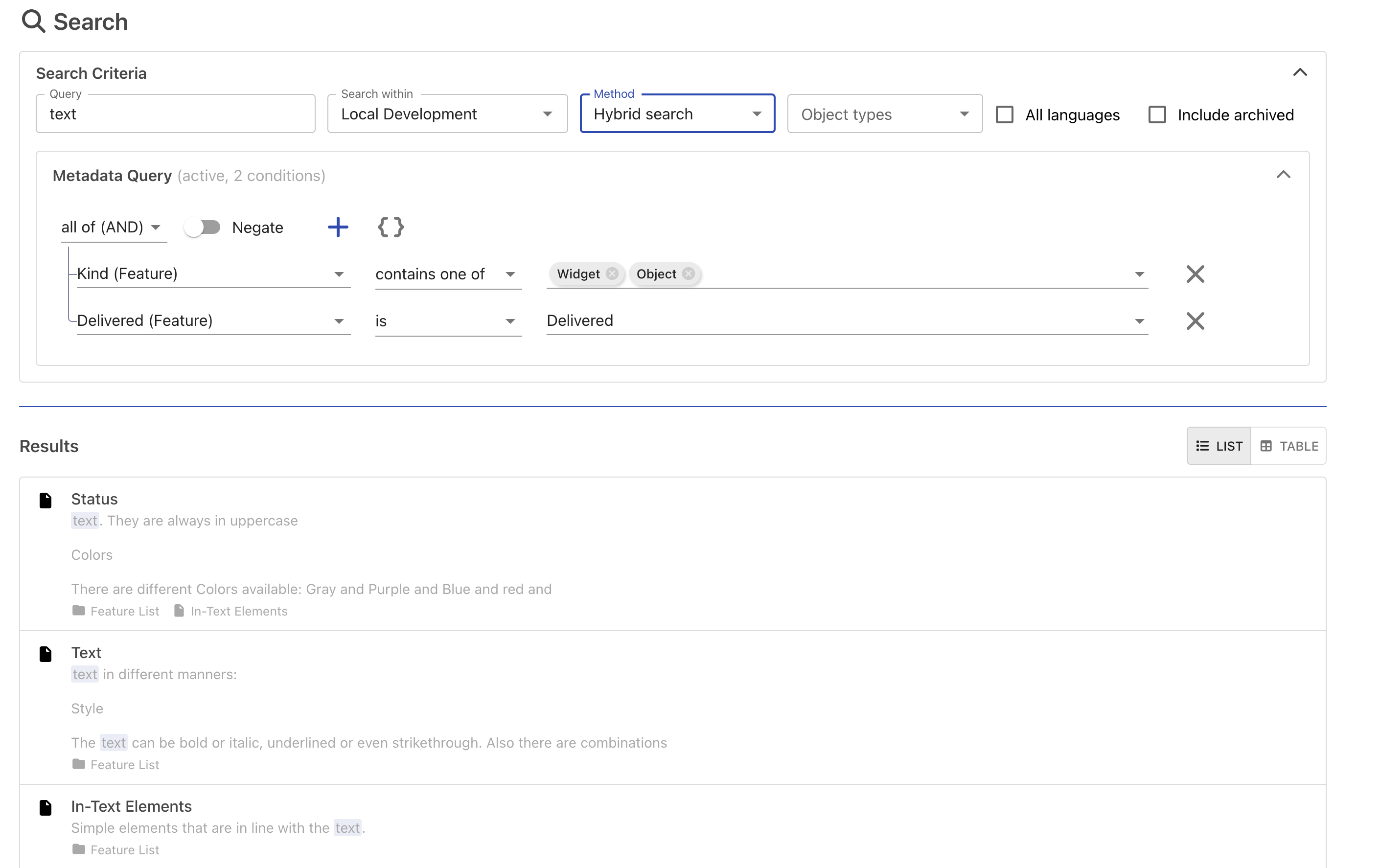
Search now allows to add restrictions based on metadata, so that allows you to for example search for all user stories with a size of M that contain the words “inventory management”.
The new hybrid search also combines the classic full-text search with a search by meaning when you start your query with a ~, so you also find pages that use different words for the same thing.
Results are ranked higher if a page is viewed often, is linked from many places, or if you have worked with it recently.
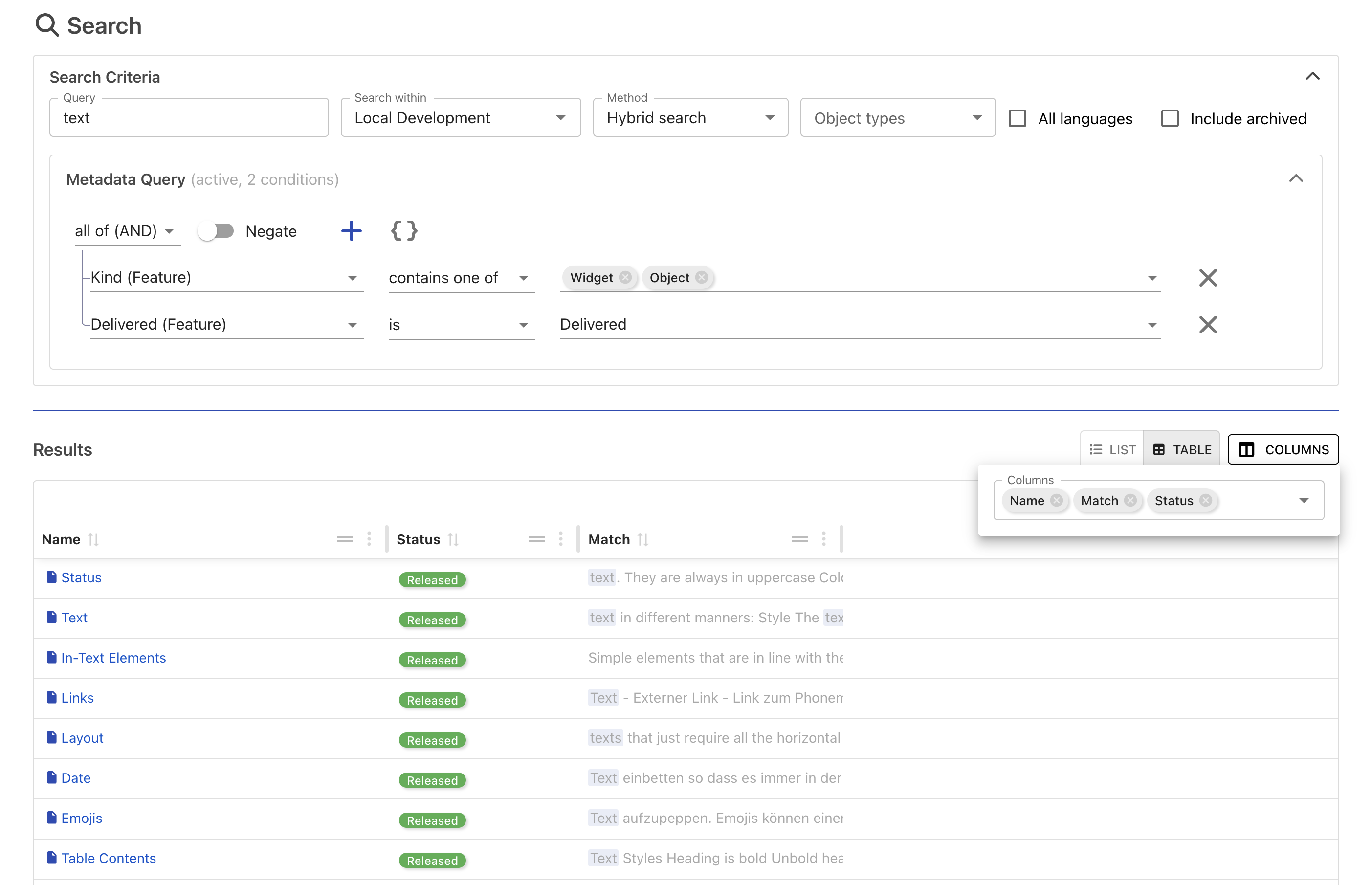
The search now has a full-screen view. To access the full-screen view press Shift+Enter in the Search Bar or select the button at the bottom of the search results.
You can combine search terms with metadata filters in one query
Results are presented in a list or in a tabular form that you can export. This allows you to do ad-hoc export/views of metadata.
A better text preparation for search improves the search quality.
Note: semantic search (search by meaning) requires a configured embedding model from an external provider. Contact your Phonemos service provider to enable it.
Larger REST API and New MCP Server
The public REST API now covers much more of Phonemos, and the MCP server (used to connect AI tools to Phonemos) is rebuilt on top of it. This is mainly relevant for administrators and developers.
New: files, zones, groups, permissions, icons, announcement channels, external links and template folders.
Metadata: read and change values, create and delete local metadata domains, and create metadata domains and fields.
Record sets: create, read, update and delete records.
Rename, move and clone objects. Start the publishing workflow and create page branches.
Pages: change parts of a page, read only parts of a page, read and change the page title, and find forward and backward links.
Results are paged in a consistent way, file upload and download are improved, and the documentation now uses Scalar.
Improvements
Navigation and Structure
The create menu now displays custom icons.
Zones that have no visible parent are shown in the tree.
Items with a number at the start are sorted numerically ("4 item" comes before "10 item").
Import and Export
Export and import are available in the topic settings.
Imports now show a new status, "committing," while the content is being saved.
Content from imports is no longer shown in recently changed or recently created.
Fixes
The page tree now correctly uses automatically translated page names.
The public site works again after archiving was introduced.
The create popup no longer stays open after you click an entry.
Colors for metadata options work again.
Metadata domains can be deleted (before, this would sometimes result in an error).
Confluence import: the correct user is shown for old page versions.
Jira connector: fixed an issue where it would loop if a lot of tickets were changed at the same time.
Faster handling of events and usage statistics. This fixes slow loading and high load on large installations.
Object selector: fixed an issue where it would not show all matching objects.